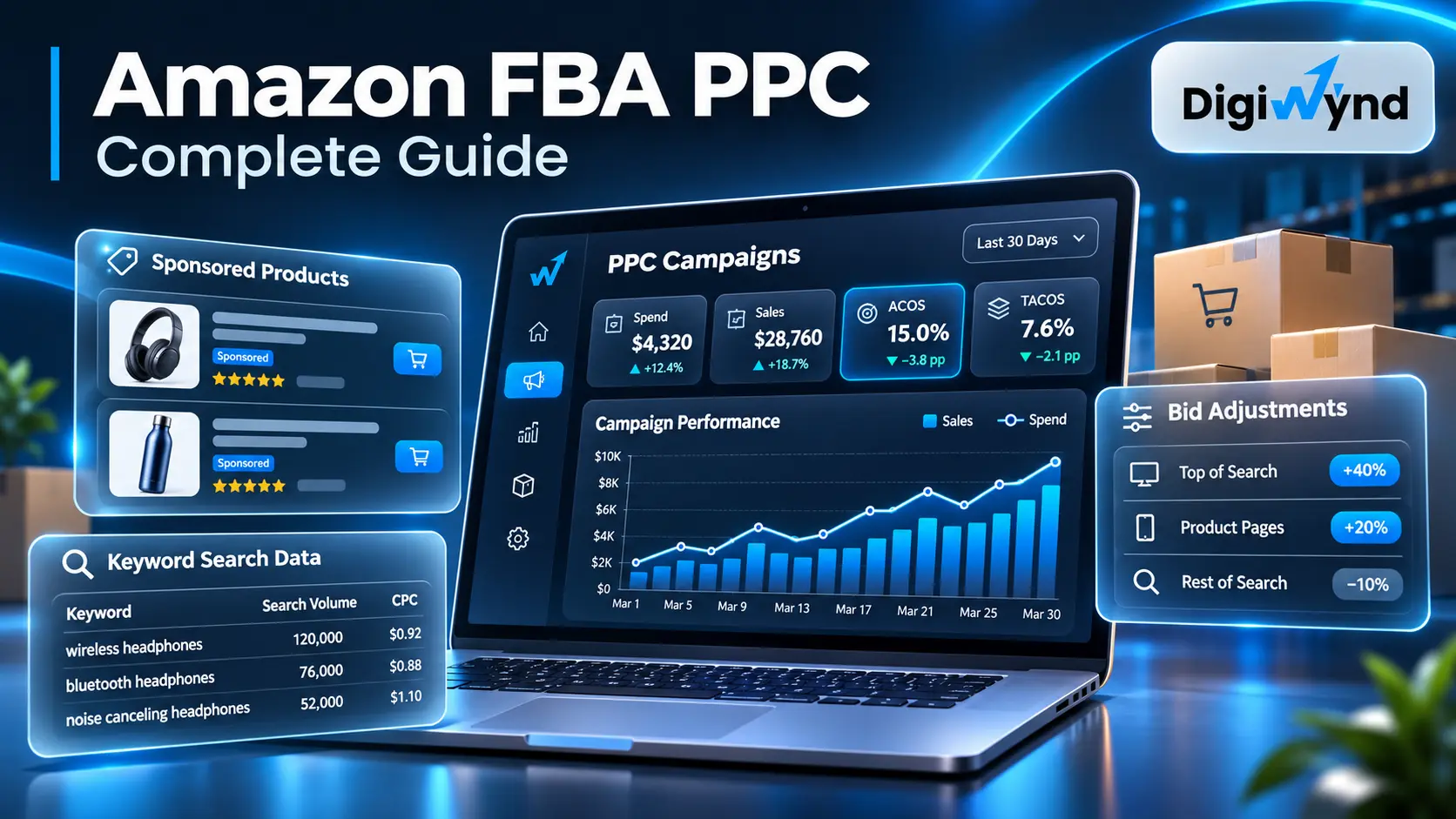
If you are new to Amazon FBA, the words Amazon PPC can sound like a wall of abbreviations. PPC means pay-per-click advertising: you pay Amazon when a shopper clicks your ad, not simply when the ad is shown. In an FBA business, PPC is the system that helps a product get discovered while Amazon is handling storage, packing, shipping, returns and customer service. The ads can create first sales, collect useful search data and keep a listing visible while organic rankings develop.
This guide starts at the beginning and gradually moves into the decisions experienced sellers make every day. You will learn what each campaign type does, how targeting works, how to choose a sensible budget, how to read ACOS and TACOS, and how to improve campaigns without cutting off the sales that are helping your listing grow. The aim is not to make you chase a perfect dashboard number. It is to help you build a repeatable advertising process that supports profitable inventory turnover.
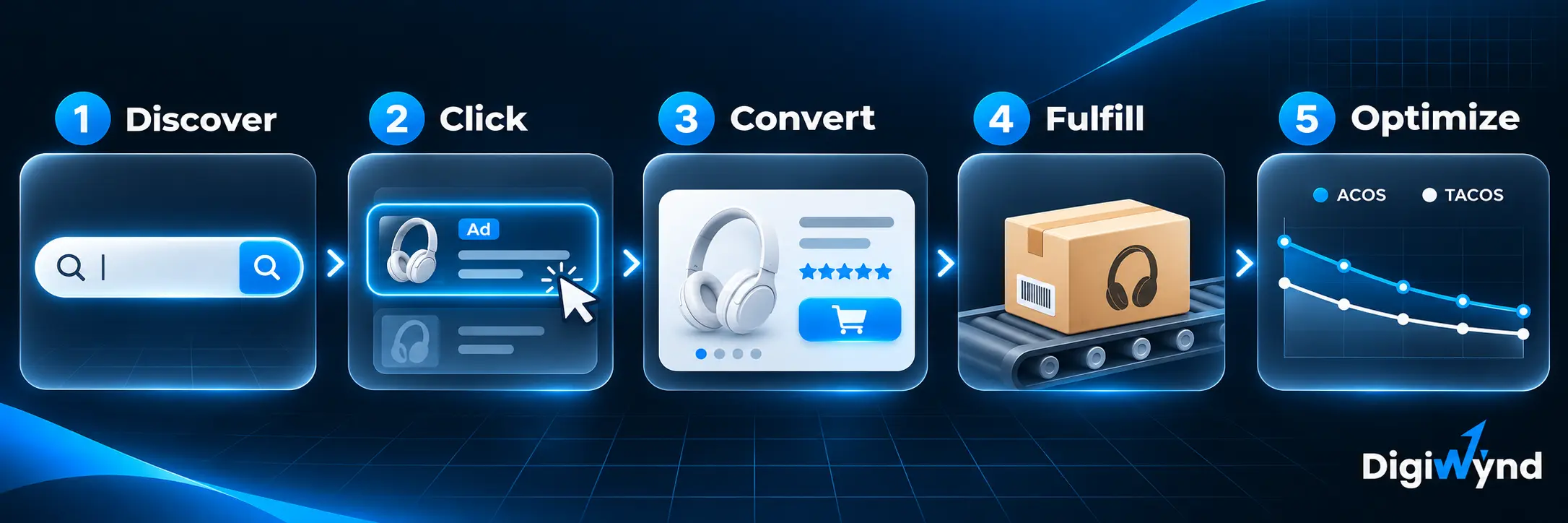
What does PPC mean in Amazon FBA?
Amazon PPC is an auction-based advertising system inside the Amazon marketplace. A seller chooses a product to advertise, sets a bid and tells Amazon which shoppers or products should be eligible to trigger the ad. When a shopper searches, Amazon compares eligible ads and places some of them in sponsored positions. If the shopper clicks, the seller is charged an amount shaped by the auction, competition and the seller's bid. A click does not guarantee an order, so the listing, offer, reviews, price, images and inventory availability still determine whether advertising turns into revenue.
The FBA part matters because the ad is connected to an offer that Amazon can fulfill. Prime eligibility, reliable delivery and a healthy account can reduce friction after the click. PPC brings qualified traffic to the detail page; FBA operations and conversion quality decide whether that traffic becomes a sale and whether the customer receives the product on time. In other words, PPC is an accelerator, not a substitute for a useful product and a trustworthy listing.
Why PPC matters for an FBA launch
New products rarely appear near the top of a competitive search result on day one. Advertising gives a launch controlled visibility while Amazon learns how shoppers respond to the offer. A well-run campaign can place a product in front of relevant shoppers, generate the first conversion signals and reveal the exact language customers use. Those search terms can later improve the title, bullets, backend terms and product positioning.
PPC also lets you buy different kinds of attention. A precise keyword can capture a shopper who is ready to purchase. A product-targeting ad can introduce your offer beside a competing detail page. A broader discovery campaign can find related phrases that your original research missed. When those jobs are separated into sensible campaigns, you can see which activity is creating sales and which activity is only spending.
The three main Amazon advertising formats
Sponsored Products
Sponsored Products are the starting point for most FBA sellers. They promote one product in search results and on product detail pages. A Sponsored Products campaign can use automatic targeting, manual keyword targeting or product targeting. Because the ad leads directly to the advertised detail page, conversion rate and listing quality have an immediate effect on performance.
Sponsored Brands
Sponsored Brands are designed for sellers enrolled in Brand Registry. They can show a brand logo, a custom headline and several products, or send shoppers to a Brand Store. They are useful when you want to own more of the search result for a branded term, introduce a product family or tell a larger brand story. A new seller should first make sure the Store and brand assets are clear before increasing spend here.
Sponsored Display
Sponsored Display uses audience and product signals to reach shoppers on and off the detail-page journey, depending on the available placement. It can support remarketing, category targeting and competitor conquesting. It is powerful, but it is easier to waste money if the audience, bid and creative are not reviewed carefully. Treat it as a distinct job rather than mixing its results into a Sponsored Products launch campaign.
How the Amazon PPC auction works
Every eligible impression is an opportunity, not a guarantee. Amazon considers the relevance of the ad to the shopper's query, the bid, the expected customer experience and the likelihood of engagement. A high bid on a weak listing can still produce expensive clicks without orders. A relevant ad connected to a compelling listing can win useful placements at a lower effective cost. This is why improving the detail page and campaign structure is often more valuable than simply raising every bid.
Think of the auction as a feedback loop. Your bid controls how aggressively you compete, while relevance and conversion quality influence how valuable the click is. The winning strategy is usually a balance: bid enough to collect meaningful data, then use that data to move profitable terms into more controlled campaigns and reduce exposure on terms that do not fit.
Prepare the listing before spending
Before launching, read the product detail page as a shopper would. The main image should make the product clear at a small size. The title and bullets should answer what it is, who it is for and why it is different. Images should show scale, use, contents and important details. The price, coupon, variations, reviews and delivery promise should make the click feel safe. If the listing does not convert organic visitors, paid traffic will simply make the problem more expensive.
Confirm that the offer is buyable in the marketplaces you are targeting, the FBA inventory is available and the product is eligible for advertising. Check the category, variation relationship and Brand Registry status where relevant. A campaign can spend quickly, so it is better to discover a blocked offer or suppressed listing before the first impression rather than after a week of lost momentum.
Automatic and manual targeting explained
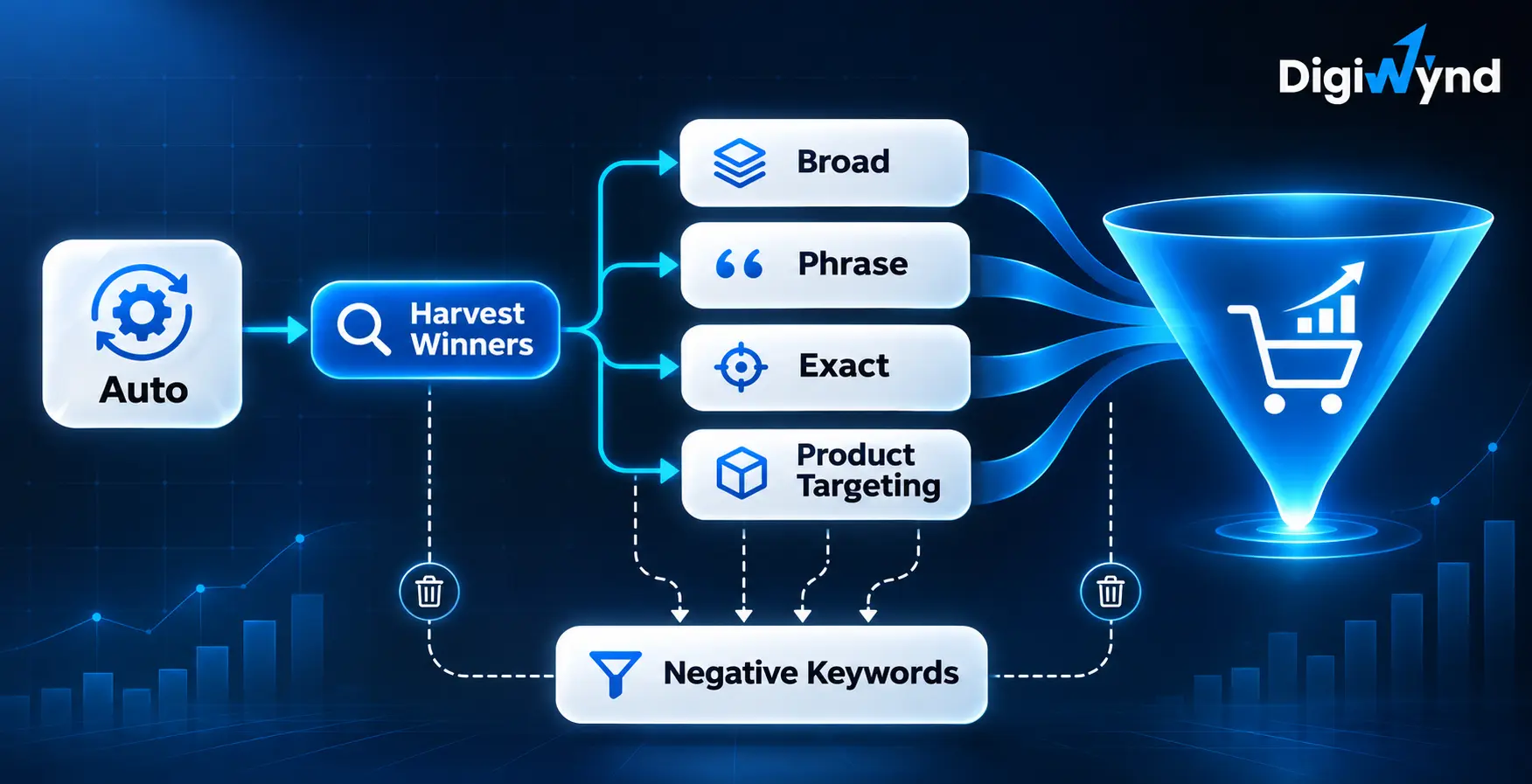
An automatic campaign lets Amazon match the product to shopper searches and related detail pages. It is useful for discovery because Amazon can find relationships that a spreadsheet may not reveal. Automatic targeting commonly includes close match, loose match, substitutes and complements. Give it a controlled budget, examine the search-term report and use its discoveries to build more intentional campaigns.
A manual campaign puts you in charge of the targeting. Keyword targeting can be broad, phrase or exact. Product targeting can focus on specific ASINs, categories, prices, ratings or brands. Manual campaigns are where you protect a winner with a dedicated bid, separate branded traffic from generic traffic and decide which competitors deserve a test. Auto and manual campaigns are partners: one discovers, the other concentrates.
Keywords, match types and search terms
Broad match gives Amazon room to show an ad for related variations, reordered words and close meanings. It is valuable for discovery but can produce a wide range of traffic. Phrase match keeps the words in a defined order while allowing additional words before or after. Exact match is the most controlled option and is often used for a proven, high-intent query. None of these match types is automatically good or bad; each has a different data-collection job.
The search-term report is where you see what shoppers actually typed. Look for queries with orders, strong click-through rate, a reasonable conversion rate or a clear connection to the product. Move promising terms into exact campaigns, then consider adding them as negatives in the discovery campaign so the same traffic is not competing against itself. Add negative exact terms when one phrase is unprofitable but a broader family still deserves testing; use negative phrase when the entire concept is wrong for the product.
Do not treat every low-volume term as useless. A long-tail query may have fewer impressions but a clear buying signal. Keep the words that describe the product accurately, even when the first few days are quiet. The goal is a clean set of relevant opportunities, not a campaign filled with high-volume phrases that attract the wrong shopper.
Build a simple campaign architecture
Start with a small number of campaigns that each have one clear purpose. A sensible launch can include an automatic discovery campaign, a manual broad or phrase campaign for research, an exact campaign for priority terms and a product-targeting campaign for selected competitors or complementary products. If the catalog has several SKUs, keep hero products separate from low-priority products so one item does not consume the whole budget.
Use descriptive names that include the product, targeting type, match type and marketplace. Keep budgets visible at the campaign level and avoid putting unrelated products into one ad group. When a term earns a dedicated exact campaign, give it a bid that reflects its margin and the value of the placement. This structure makes reporting easier and prevents a promising query from being hidden inside a large mixed campaign.
Choose a budget and bid without guessing
Begin with the unit economics. Selling price is not profit. Subtract Amazon referral and FBA fulfillment fees, product cost, inbound freight, storage, discounts, returns and any other per-unit expense. The amount left before advertising is your contribution margin. Your break-even ACOS is roughly that margin divided by selling price. For example, if a product sells for $40 and leaves $12 before ads, a 30% ACOS is approximately the break-even point. The exact number changes with your full cost model, but the principle is simple: your bid must respect what one order can afford.
Set a daily budget that can collect data without putting restock money at risk. If a campaign spends out before the busiest shopping hours, increase the budget only after checking that the orders are healthy. A higher budget creates more opportunity; it does not repair poor targeting. For bids, start near the suggested range, then adjust in measured steps. Large jumps make it difficult to understand what changed.
ACOS, TACOS, ROAS and break-even
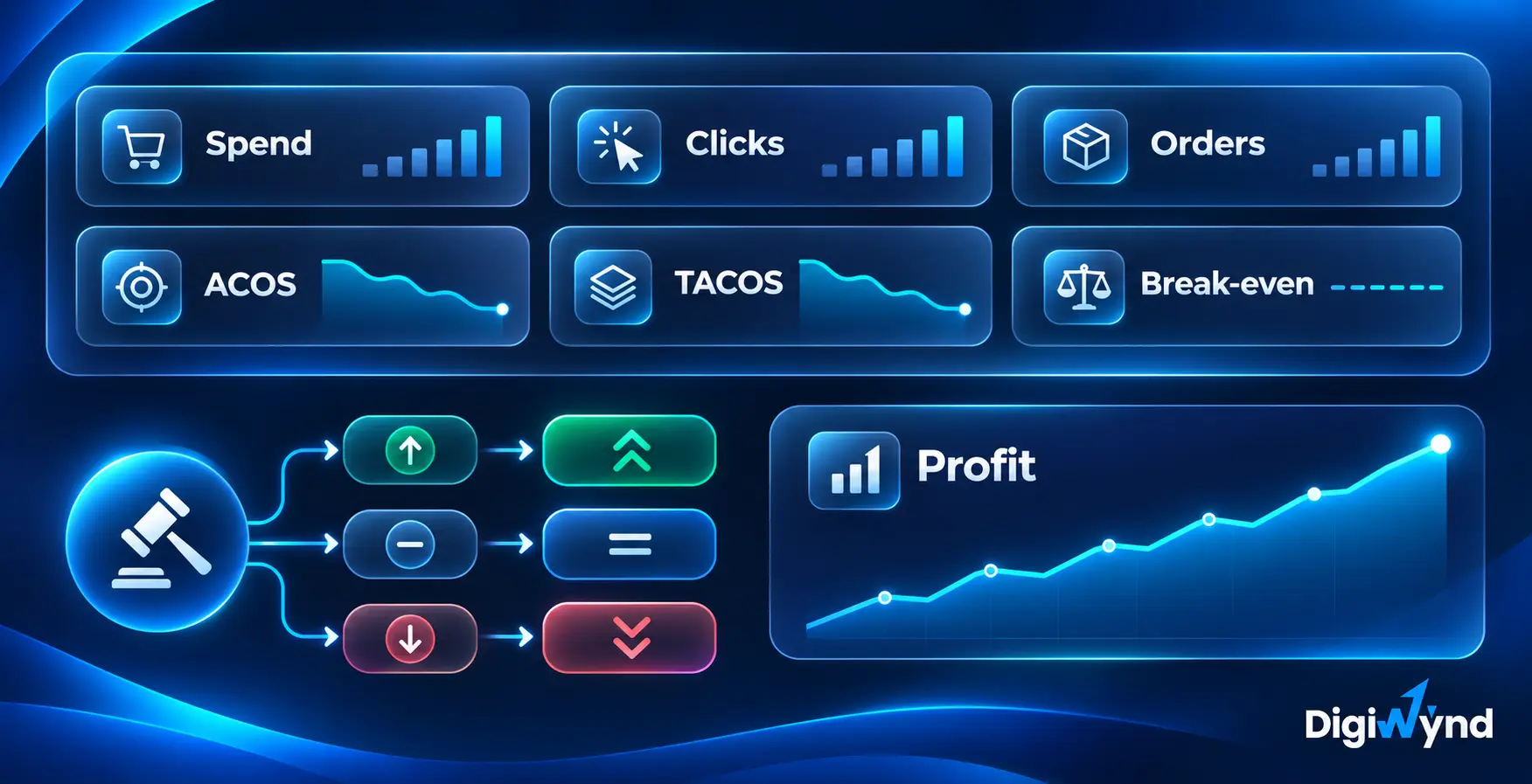
ACOS is ad spend divided by ad-attributed sales. If you spend $20 and the ads produce $100 in sales, ACOS is 20%. ROAS is the inverse view: sales divided by spend, which would be 5 in the same example. TACOS divides ad spend by total sales, including organic sales. TACOS helps you see whether advertising is supporting the whole business rather than only looking at the orders Amazon attributes to an ad.
A high ACOS may be acceptable during a launch when the objective is visibility, reviews and ranking data. A mature product may require a lower ACOS to protect profit. Compare the metric with contribution margin, organic sales, inventory position and the purpose of the campaign. Avoid celebrating a low ACOS that comes from a tiny branded campaign while the generic campaigns are losing money, and avoid killing a discovery campaign before it has produced enough evidence to judge.
A practical optimization routine
Review new campaigns frequently during the first two weeks, but do not change every setting every hour. Check spend, impressions, clicks, orders, conversion rate, placement and search terms. If a term has clicks but no meaningful progress toward a sale, ask whether the query is relevant, the listing is convincing and the bid is too aggressive. A negative keyword may be appropriate, but so might a listing improvement.
Move winners deliberately. A search term with consistent orders can become an exact-match target with its own budget. Lower the original discovery bid or add a negative exact to reduce overlap. For product targeting, keep targets that generate profitable detail-page traffic and trim targets that only consume clicks. Adjust bids in small percentages, then allow enough time and impressions for the change to become visible.
Use placement reporting to learn where performance comes from. Top-of-search can convert well for a strong, highly relevant term, while product-page placements may be useful for comparison shoppers. Placement multipliers should be earned by data. If a multiplier raises spend without improving profitable sales, reduce it and test a different allocation.
How FBA inventory changes your PPC decisions
Advertising and inventory are connected. A campaign that increases demand while stock is low can create a stockout, lost ranking and frustrated shoppers. Watch days of cover, inbound shipment timing, restock limits and sales velocity. When inventory is tight, reduce aggressive generic bids before turning off the branded protection that keeps existing customers finding you. When a replenishment arrives, increase spend in a controlled way rather than opening every target at once.
FBA fees also affect the margin behind your ACOS target. Oversize tiers, storage charges and aged inventory can change the economics of a product even when the ad dashboard looks stable. Review the full P&L regularly. A campaign is healthy when it contributes to a business that can keep the item available and profitable, not merely when it produces an attractive screenshot.
Common beginner mistakes to avoid
- Sending every keyword to one campaign: mixed intent hides the terms that deserve more budget.
- Using broad match without negatives: discovery becomes an open door for irrelevant clicks.
- Changing bids before collecting data: constant edits make the results impossible to interpret.
- Ignoring the detail page: advertising cannot fix unclear images, weak benefits or a poor offer.
- Judging success on ACOS alone: profit, TACOS, organic lift and inventory matter too.
- Forgetting branded protection: competitors can capture shoppers who are already searching for your brand.
- Scaling before replenishment: a stockout can erase progress that took weeks to build.
Advanced tactics once the basics work
When the account has reliable conversion data, create a branded defense campaign for your brand and key product names. Separate high-intent exact terms from research terms so a winning query has room to scale. Use product targeting to appear beside close alternatives, but compare the competitor's price, rating and review count before bidding. If your product is the better fit for a particular use case, make that distinction clear in the detail page and creative.
Portfolios can organize campaigns by product line, business goal or season. Rules and scheduled bid changes can help with dayparting, but automation should be constrained by a sensible floor and ceiling. Test one variable at a time: bid, placement multiplier, creative, price or coupon. Document the hypothesis and the date of the change. A simple change log prevents the team from repeating an old test and gives you a record of why the account moved.
A 30-day launch plan for a new FBA product
Days 1–3: confirm the listing, offer, conversion assets, FBA availability and break-even ACOS. Launch auto, broad or phrase discovery, exact priority terms and a small product-targeting test.
Days 4–10: watch spend and search terms. Protect the daily budget, add obvious negatives and fix any listing question that appears repeatedly in shopper language. Do not scale based on one lucky order.
Days 11–20: move converting terms into exact campaigns, give proven targets their own budget and reduce bids on irrelevant or consistently unproductive traffic. Compare placement performance and check inventory cover.
Days 21–30: review ACOS, TACOS, conversion rate, organic sales and contribution margin together. Keep the campaigns that support the business goal, improve the listing with real search language and set the next test. This is the point to decide whether more budget will create profitable growth or simply buy more expensive clicks.
Frequently asked questions about Amazon PPC in FBA
How much should a beginner spend on Amazon PPC?
There is no universal number. Start with an amount you can afford to learn from without risking inventory or operating cash. Base the budget on contribution margin and the number of meaningful clicks your category typically needs before a conversion. Increase it when the campaign is constrained by budget and the resulting orders remain economically sound.
Should I use automatic or manual campaigns first?
Use both, but give them different jobs. Automatic targeting is an efficient research layer. Manual campaigns let you control priority keywords, match types and product targets. The search-term report from auto should feed the manual structure rather than replacing it.
What is a good ACOS for Amazon FBA?
A good ACOS is one that supports your stated goal and fits your margin. A launch may tolerate a higher ACOS while a mature product may need a lower one. Calculate break-even ACOS from real costs, then compare advertising results with TACOS, organic growth and profit.
How long should I wait before optimizing?
Give a change enough impressions and clicks to produce a fair signal, while watching for obvious waste that needs an earlier negative. Review frequently, make measured adjustments and avoid changing many variables at the same time. The right wait depends on category traffic, budget and conversion rate.
Can PPC fix a product with few reviews?
PPC can create visibility, but it cannot replace trust. Make the offer, images, copy and customer experience strong, and use advertising to reach relevant shoppers. If the product does not convert after qualified traffic, investigate the offer before raising bids.
Final takeaway
Amazon PPC in FBA is best understood as a managed growth system. It brings qualified shoppers to a product, turns search behavior into insight and gives a seller control while organic visibility develops. Start with sound unit economics and a conversion-ready listing. Separate discovery from proven demand, use search-term data to refine targeting, and judge decisions against profit and inventory rather than a single dashboard metric.
If you want a second set of eyes, start with Digiwynd's Amazon FBA fundamentals guide, then review your account structure and margin assumptions before scaling. A focused audit can reveal wasted spend, missed search terms and operational constraints that are hard to see when you are inside the account every day.